Higher Order Interpolation
Learn how to implement higher order interpolation for rotations and animations with avar2.
Higher Order Interpolation (HOI), also called non-linear interpolation (NLI), is a technique pioneered by the Underware1 font foundry.
With avar1 and avar2, type designers can control the interpolation between masters in variable fonts. Even if they change the rate of interpolation or distort the designspace, the interpolation between masters is still linear. The points drawn between the masters always follow a straight line on the shortest path. That makes some operations, like rotations or animations, difficult to achieve. Even with many duplicate masters, the linear rotation will still be noticeably off to the human eye.
Enter HOI. In the same way that type designers draw Bézier curves to shape letters, HOI can interpolate fonts with Bézier curves. The best way to understand it is to show it.
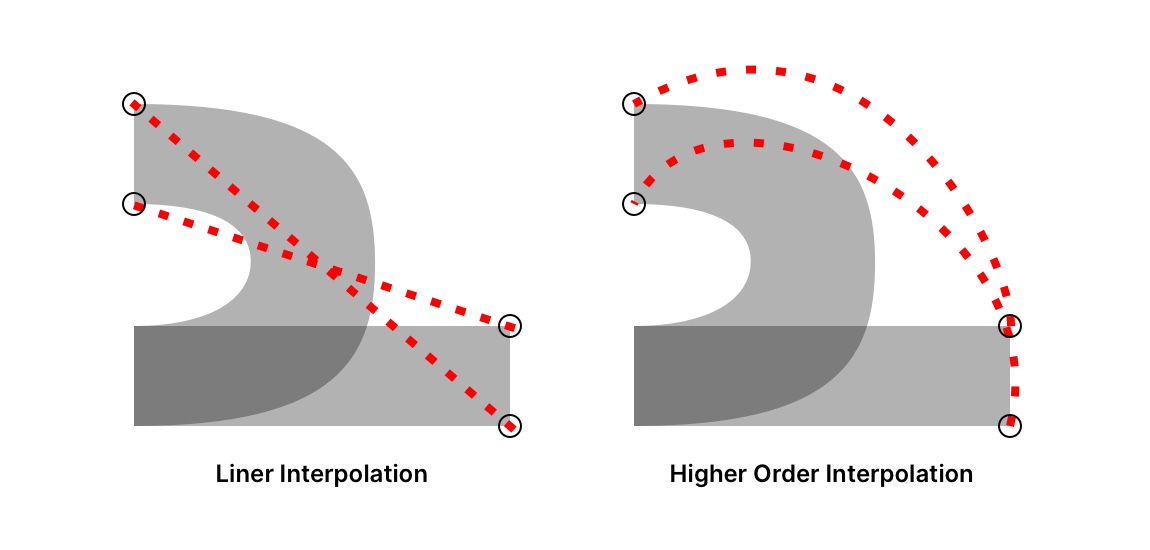
While linear interpolation follows straight lines on the shortest path, HOI follows defined curves for better rotations and animations.
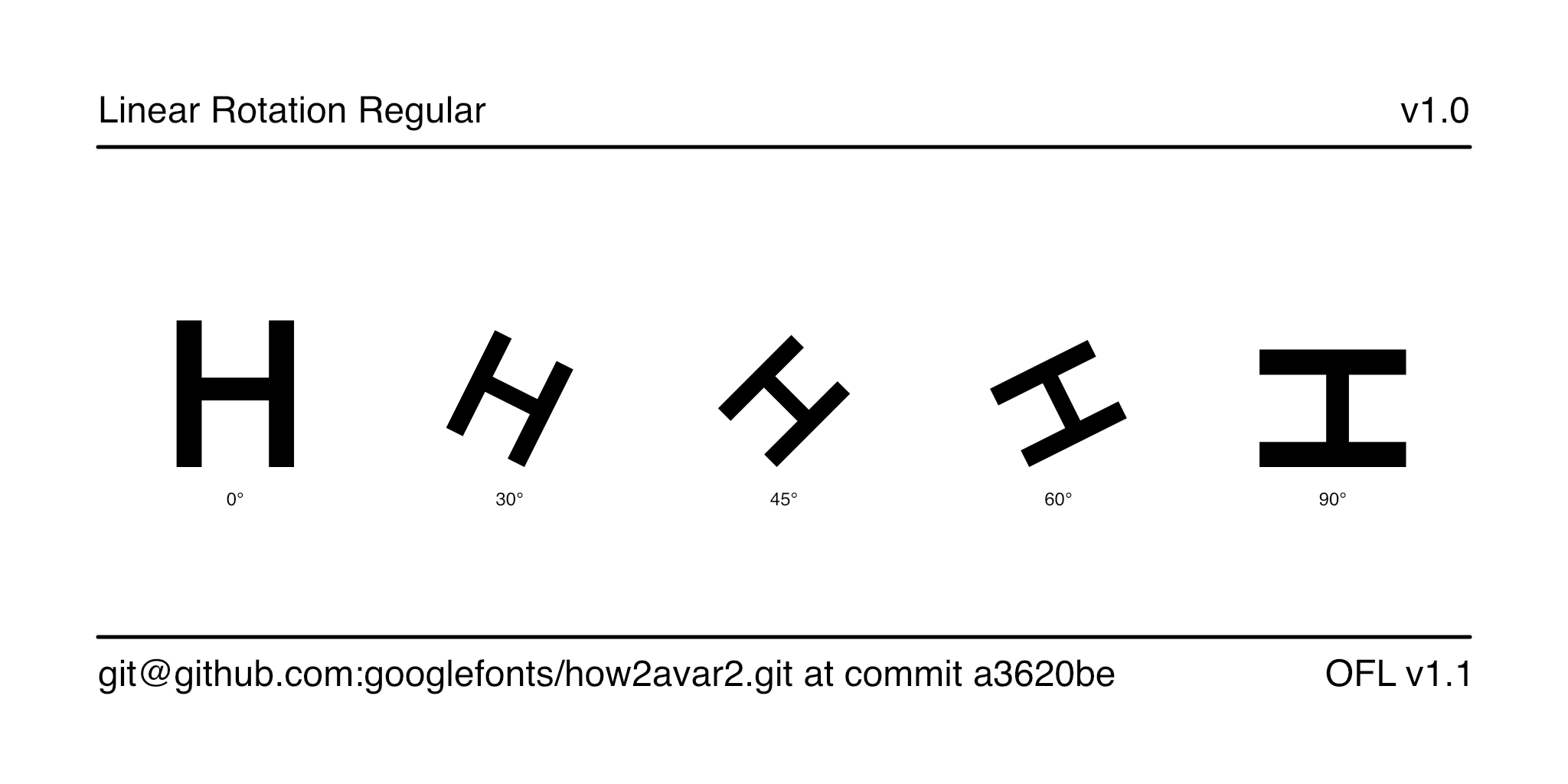
Linear interpolation with rotation causes the H to shrink significantly.
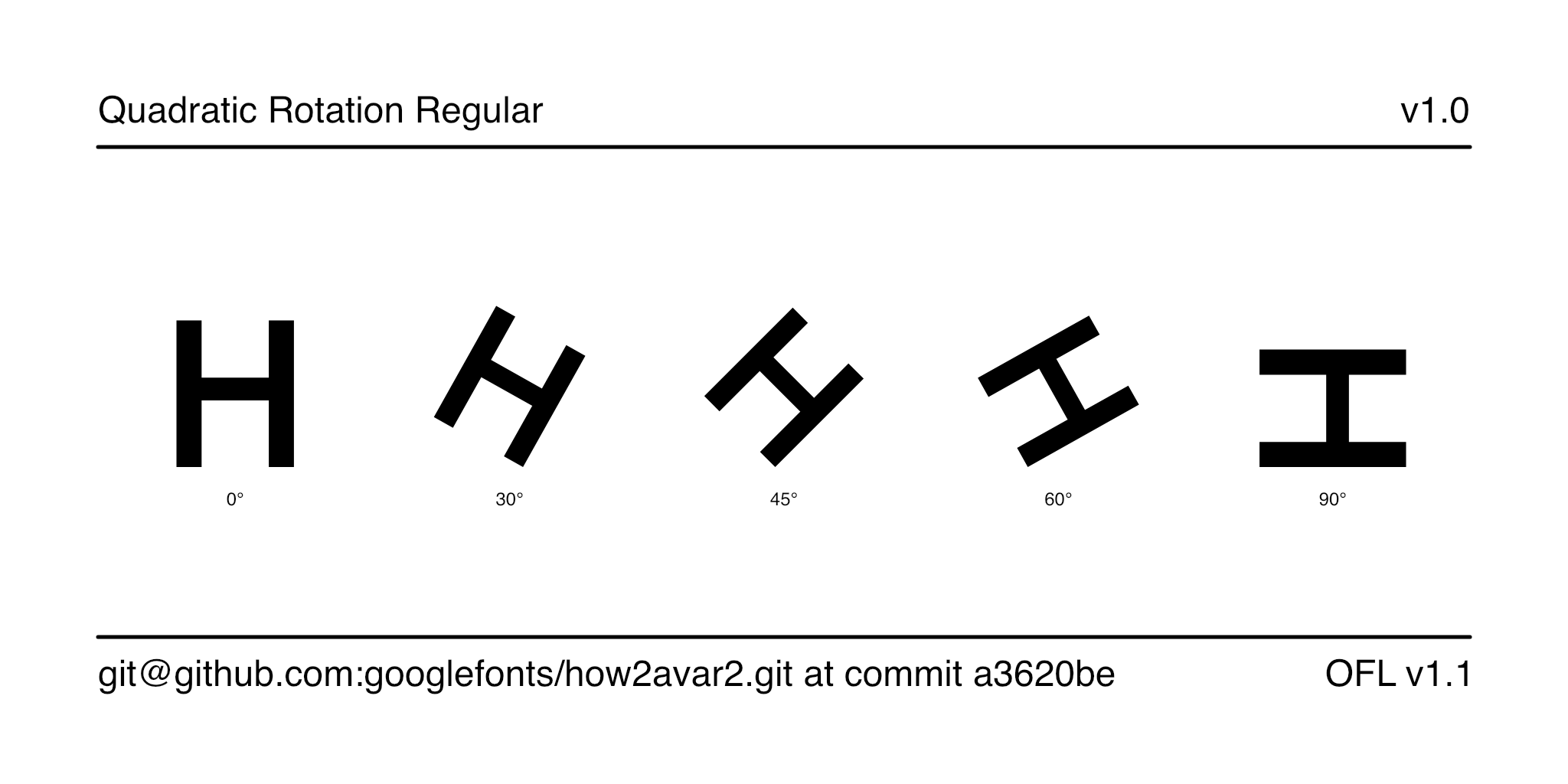
Quadratic interpolation with rotation causes the H to shrink only slightly. Using cubic curves, of an order higher than quadratic curves, will produce even smoother rotations.
As shown in these examples, linear interpolation is insufficient for use cases like rotation and animation. Quadratic interpolation is a major improvement, and cubic interpolation is even better. It is possible to draw with curves of a higher order than cubic as well.
To implement quadratic interpolation, type designers need additional axes. In the same way that Bézier curves use multiple points, higher order interpolation uses multiple axes.
With avar1, higher order interpolation worked through a quirk that occurred in most font renderers. By naming axes the same name, renderers would interpolate them at the same time. With two axes named the same and interpolating together, type designers can implement quadratic interpolation (or cubic with three axes).
With avar2, an axis can now control multiple axes. Type designers can name the axes differently for organization and better font editor support, and then use a virtual axis like ZROT Rotation in Z to control the other two axes at the same time to implement quadratic interpolation (or cubic with three axes). An additional benefit is that this behavior is now defined and expected with avar2.
To implement cubic interpolation, type designers must add a third axis with masters on off-curve points to animate between them. They use Python3 scripts to generate these masters, since it is unclear how to draw them by hand.
For an example of how to implement quadratic rotation, visit the demo font2 in this GitHub repository, and review the build script3. The ArrowType font foundry provides more examples in its HOI-test4 repository. Also, there are scripts for HOI written for FontForge5, Fontra, and RoboFont6.
If you are hoping to create animations with axes like Flow similar to the Underware font foundry, you will have to write the scripts yourself. None of Underware’s implementations are open-source.
More technical and in-depth explanations are available from Ben Wager7 and Peter Constable8, and there's a discussion on TypeDrawers9.
Footnotes
-
https://github.com/googlefonts/how2avar2/tree/main/sources/QuadraticRotation.glyphspackage ↩
-
https://github.com/googlefonts/how2avar2/blob/main/Makefile ↩
-
https://github.com/ctrlcctrlv/FontForge-Higher-Order-Interpolation ↩
-
https://github.com/PeterConstable/OT_Drafts/blob/master/NLI/UnderstandingNLI.md ↩
-
https://typedrawers.com/discussion/3540/non-linear-or-higher-order-interpolation-hoi ↩